
Simplify the content lifecycle. Pay per job. No subscription.
Simplify the content lifecycle. Pay per job. No subscription.
For podcasters, YouTubers & short-form creators
Skip the post-production grind. Ship more content.
$0.50 – $2.00 per job · no subscription
Upload a file and run your first job right in the browser — no account required.
Free offer: get 100% off for every job you run through the end of July.
Transcribe a recording, recap an episode, find your best moments, and cut short-form clips — all in minutes. Upload (MP3, MP4, MOV, and 8 more), pick a job, download. No account, no subscription.
No subscription. Pay per job. Files auto-delete in 24 hours.
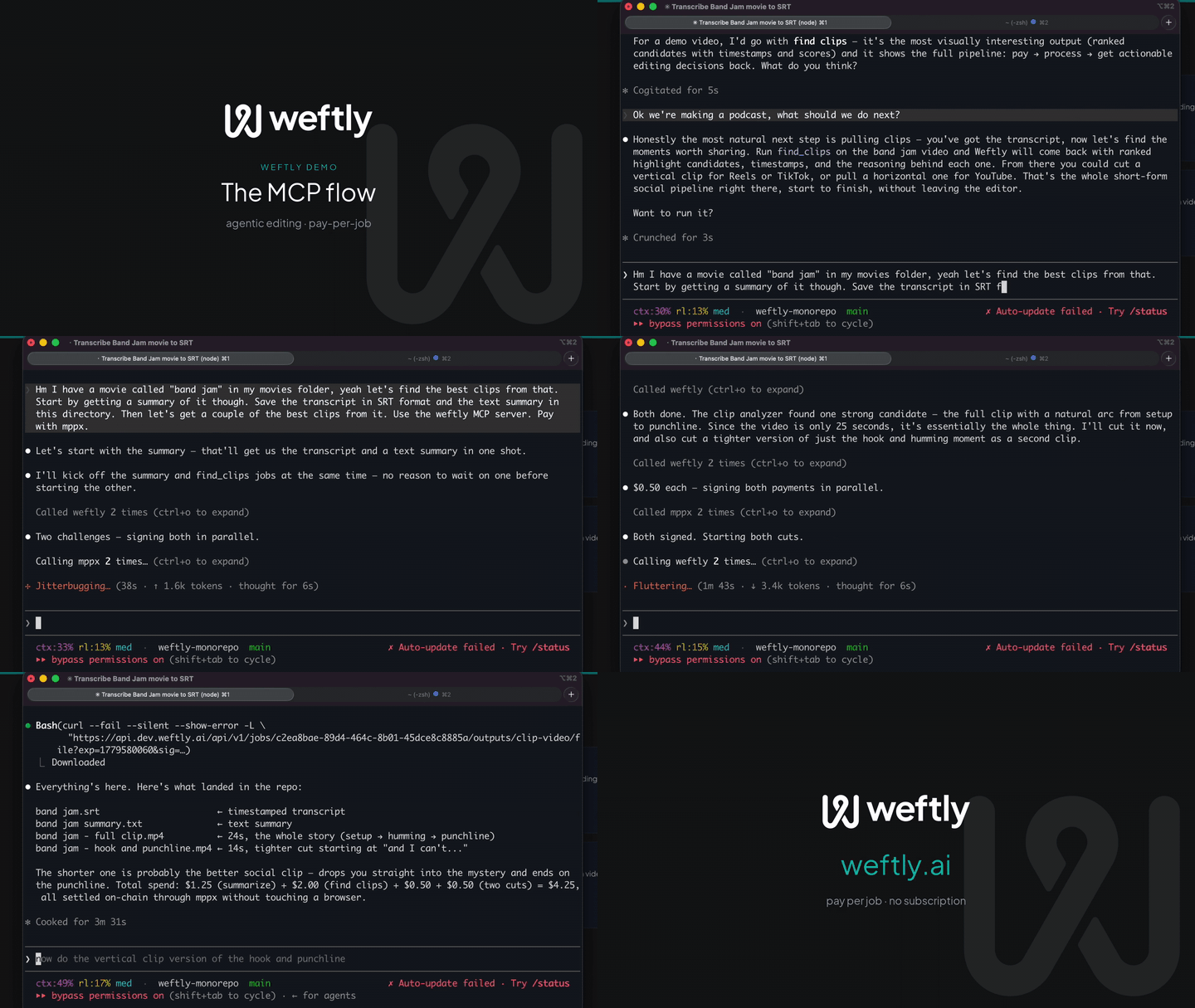
Every tool above is available as an MCP server or REST API. Agents pay autonomously with MPP — no human checkout required.
Built something cool with Weftly? Drop a link to a video and we'll feature standout creators here.
Featured creators land here. Be one of the first.
Weftly as an MCP server: transcribe, pay, and download — straight from your agent
FAQ
Short answers to the questions creators ask most.
Weftly is pay-per-job — there is no subscription. Audio transcripts are $0.50, video transcripts are $1.00, summaries are $0.75 (audio) / $1.25 (video), Find Clips is $2.00 per video, each horizontal or 9:16 vertical clip you cut is $0.50, and publishing a finished video to YouTube is $1.75. Pay by card via Stripe or USDC on Tempo.
No account or subscription is required. Upload a file and run a job in the browser without signing up. Files auto-delete after 24 hours.
Run Find Clips ($2.00) on your long video — Weftly returns ranked candidate clips with timestamps and transcript text. Then call Extract Vertical Clip ($0.50) on any candidate to get a 9:16 short-form cut ready for TikTok, Instagram Reels, or YouTube Shorts. Clips are center-cropped and auto-captioned, so they're ready to post. No re-upload required.
Audio: MP3, WAV, M4A, OGG, FLAC, WebM, and AAC up to 2 GB. Video: MP4, MOV, WebM, MKV, and AVI up to 5 GB. Weftly extracts audio from video files automatically before transcription.
Most transcripts and summaries finish in 1–5 minutes for typical podcast-length audio. Find Clips on a long video usually completes in under 10 minutes. Vertical clip cuts complete in under a minute since the source video is already in Weftly storage.
You only pay for what you use. There is no monthly fee, no minimum, and no account to maintain. Solo creators who run a few jobs a month typically spend under $5 — and the same workflow is available through a browser, a Claude / MCP plugin, or the REST API.
Transcription, summarization, and clip discovery are live today. Editing, multicam, and publishing are coming soon. No account required. No credit card until you're ready.
Try it in the browserHow we took a two-camera conversation start to finish, thumbnail, chyrons, end card, and filler removal, with Weftly and Claude skills and plugins.
Read post →Side-by-side per-episode math for Descript, Castmagic, Rev, Otter, and Weftly. Most creators are paying for tools they barely use.
Read post →Open chat.weftly.ai in a browser, drop in a file, say what you want. No MCP host to set up, and the same tools are open for anyone to build their own client on.
Read post →